
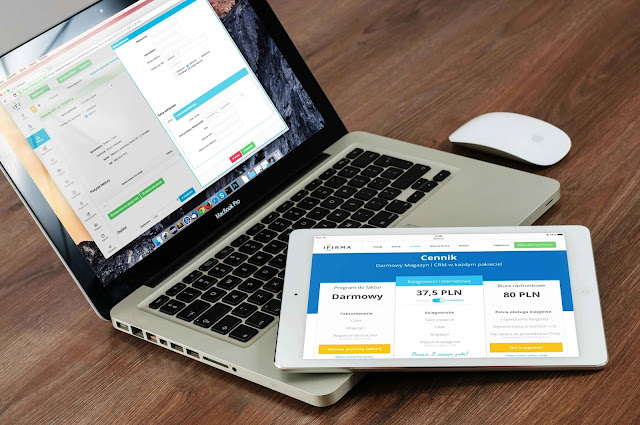
a website, I thought I would have to become a coding expert. But when I learned
about WordPress, everything seemed so simple that I thought, “I can do this
myself!”
If you are also wondering
how to make a website with WordPress, then this guide is just for you.
🌐 Step 1: Choose a Domain Name
First of all, you have to
think of the name of your website – which we call domain name. Example:
www.apkiname.com
Tip:
- Should be short and
memorable - Prefer .com extension
- Should be related to brand
or niche
I think if you are starting
blogging or business, then first write down 10 domain ideas and choose the best
one.
💰 Step 2: Take Hosting Service
Hosting is where your
website’s data is stored. WordPress works only when you have hosting.
Popular Hosti ng Providers:
- Hostinger
- Bluehost
- SiteGround
Think if you take slow hosting then your website will also run slow – hence it is important to take
reliable hosting.
⚙️ Step 3: Install WordPress
When you open the hosting
panel (like cPanel), you will find the option of “1-Click WordPress Install”.
Just click on it, set the
website name, username and password – WordPress will be installed!
I remember I was confused
the first time but everything was set in 3 minutes.
🎨 Step 4: Selecting the theme
The fun of WordPress is
that you can change the design of your site without coding.
Best Free Themes for
Beginners:
- Astra
- OceanWP
- Neve
To install and activate new
themes, navigate to the “Appearance > Themes” section.

📦 Step 5: Install Necessary Plugins
Plugins are small tools
that add extra features to the website. Like:
Plugin |
Work |
|
Yoast SEO |
improve Google ranking |
|
Elementor |
Drag & Drop design |
|
WPForms |
make Contact form |
|
UpdraftPlus |
Backup & security |
Tip: Install only necessary
plugins — too much can slow down the site.
🖋️
Step 6: Create Pages
Every website should have
some basic pages:
- Home – Introduction
- About – About you
- Contact – Form + details
- Blog/Services – Whatever
you are offering
You can build these pages
by clicking on “Pages > Add New” in the WordPress dashboard.
✏️ Step 7: Setting Menus
When the pages are created,
they have to be shown in the navigation menu on the top of the website.
- Go to Appearance > Menus
and add pages. - Set order
- Save menu
Think if the user has
difficulty browsing the website, he will not come back – so the menus should be
simple and clean.
📢 Step 8: Writing a blog post (Optional)
If you want to start
blogging then go to “Posts > Add New” and write a new article.
Tips:
Use heading tags correctly
Paragraphs should be short
and readable
Add internal and external
links
I think if you do regular
blogging then Google ranking improves fast.
🔒 Step 9: Security and Backup
After constructing a
website, it is also vital to defend it:
- Enable SSL Certificate
(available free with hosting) - Install Backup plugin
(Updraft Plus) - Use strong
username/password
Bonus Tip: Make sure to
enable 2FA (two-factor authentication).
📈 Step 10: SEO and Speed Optimization
To rank a website on
Google, SEO must be done:
- Install Yoast SEO plugin
- Compress image size
- Use Caching plugin (like W3
Total Cache)
You will notice that SEO
and fast loading site increase traffic.
💡 Real-Life Example:
One of my friends made a
WordPress website for his bakery business in just 5 days. He used Astra theme,
designed it with Elementor and installed PayPal plugin and started taking
orders online.
Imagine if you have your
own business or blog, where you are in control – how much freedom and earning
opportunity you get!
📌 Last thing – You too can make a website!
If you are still wondering
how to make a website with WordPress, then now everything must be clear. This
process is absolutely beginner-friendly and no coding knowledge is required.
I also followed these steps
— and trust me, you can do it too. Buy domain and hosting today and create your
first WordPress site.
If you liked this article,
then definitely read these:
👉 How to Use Canva for Beginners: Powerful Design Tips
🎙 FAQs – How to Make a Website with WordPress
Q1: Is WordPress absolutely free?
Yes, WordPress software is free but you have to buy domain and hosting.
Q2: How long does it take to create a website?
If everything is ready, a basic site can be ready in 1-2 hours.
Q3: Can WordPress be used without coding knowledge?
Absolutely! WordPress is made for beginners – everything is drag and drop.
Q4: Which is the best theme?
Astra is fast and easy for beginners There is a customizable theme.
Q5: Is WordPress SEO friendly?
Yes, plugins like Yoast SEO make it fully optimized.
Q6: What to do to prevent your website from getting hacked?
Use a strong password, backup plugin, and SSL certificate.
Q7: Can WordPress be used from mobile as well?
Yes, WordPress app is available for both Android and iOS.