
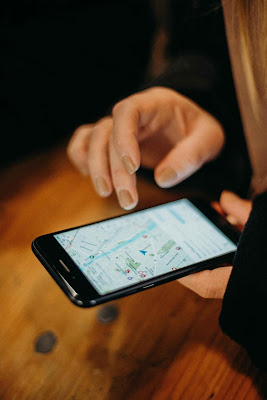
I’ve used both apps myself — sometimes I use Waze on my way
to work during rush hour, and sometimes I use Google Maps while exploring
unfamiliar areas. But the question is: What’s the real difference between these
two navigation apps? And which app will be more useful for you in 2025?
If you’re still confused, this guide is for you. Here, we’ll
give you an honest comparison of Waze and Google Maps with real-world user
experience — in terms of features, pros and cons, and usability.
🧭 Google Maps – Reliable
and Feature-Rich
Google Maps is the world’s most popular navigation app,
boasting more than one billion users per day. The app not only provides
directions, but also local business information, street view, and transit
options.
🔍 Special features:
Turn-by-turn voice navigation
Real-time traffic information
Multiple modes of transportation: car, walking, bus, train
Business ratings, hours and contact information
Option to download offline maps
✅ My opinion (real experience):
Whenever I’m in a new city, I trust Google Maps – I can
easily find not only directions but also nearby restaurants, gas stations and
parking spaces. Once in Dubai, I used the offline version of Google Maps and
reached the mall without any problems.
🚦 Waze –
Community-powered real-time alerts
Waze has come up with a unique concept — where users
themselves share real-time information: traffic jams, accidents, police traps,
or road closures. That’s why Waze’s data is both live and crowdsourced.
🛠️
Waze Features:
Real-time user-reported updates
Alternative route suggestions
Speed limit warnings
Police and hazard alerts
Entertaining voice navigation (even celebrity voices
available!)
✅ My opinion (real experience):
When I need the fastest route, I always open Waze — its
community alerts let me know in advance if there’s an accident ahead or if
traffic is slow. Waze helped me avoid traffic jams on Karachi’s major roads.

🆚 Waze vs Google Maps –
Side-by-Side Comparison
Feature |
Google
|
Waze |
|
Interface |
Clean & formal |
Fun & interactive |
|
Traffic Accuracy |
AI + GPS based |
User-generated, real-time |
|
Police/Accident Alerts |
Limited |
Extensive & real-time |
|
Offline Access |
Yes |
No |
|
Voice Navigation |
Standard |
Fun & customizable |
|
Multiple Transport Modes |
Yes (car, bus, walk, bike) |
Mostly for cars |
|
Route Customization |
Moderate |
High |
|
App Size & Battery Use |
Moderate |
Slightly more battery intensive |
🎯 Which app is best for
which user? (Breakdown method)
🧍 Are you a leisurely
traveler?
Google Maps is best for you Want to explore an area, use
public transportation, or find a business? Just open Google Maps and explore.
🚗 Are you a daily
driver?
Waze is your friend! Do you face traffic every day and time
is precious? So Waze will provide you with the shortest and fastest route —
even if it’s a narrow street.
🌐 Frequent international
traveler?
Google Maps is available in multiple languages, local
business listings, and offline navigation — ideal for international use.
🔋 Battery and data usage
— which app is more efficient?
Personally, I believe Waze to be more energy and data-hungry due to its
live user updates and real-time rendering. But Google Maps feels a little more stable and
better — especially when offline mode is turned on.
Tip:
Google Maps is a safer option if you’re on a limited data
plan or don’t have a power bank.
🎨 Interface and User
Experience
Google Maps:
Formal layout
Business-focused
Easy to navigate + research
Less distractions
Waze:
Colorful and playful design
Emoji-style icons
Gamified experience (e.g. points, badges)
It can feel a bit overwhelming for users.
🧠 AI and Smart Features
2025 (Actionable and Useful Information)
Google Maps:
Predictive routes using AI
Live public transport tracking
Indoor maps for malls and airports.
AR walking navigation (Live Street View)
Waze:
Smart rerouting based on user reports
Crowd-sourced hazard predictions
Personalized shortcuts and preferred roads.
I experienced it myself: When Google Maps sent me to a
blocked road, Waze immediately gave me an alternative — just because someone
posted an update 2 minutes ago.
🔔 Notifications and
community influence
Waze’s strong point is its community — where every driver is
a contributor. You can also report an accident, roadblock, or police yourself.
In Google Maps, it’s all done by an automated AI system — a
little later but more structured.
📌 Final Verdict – Opinion
+ Conclusion clearly included.
My opinion:
Waze is best for people who commute in traffic every day and
want the fastest, most up-to-date route.
Google Maps is ideal for users who want general search,
walking, or public transportation navigation.
People often keep both apps installed — and they adapt them
to the situation. both owned by Google?
For more such helpful comparisons and tech tips, do visit our homepage.
🗣 FAQs – Difference Between Waze and Google Maps
Q1: Are Waze and Google Maps both owned by Google?
Yes. Waze was acquired by Google in 2013, but both apps run independently with separate functions.
Q2: Can Waze run offline?
No, Waze is based on real-time user input so offline mode is not available.
Q3: Is Google Maps still accurate?
Absolutely, Google Maps optimizes routes with the help of AI and location history — the accuracy is quite high.
Q4: Does Waze work in every city?
Waze works best in areas where there are active users. Updates can be slow in smaller cities.
Q5: What is the best app for roadside alerts?
Waze is unbeatable when it comes to speed traps, roadblocks, or hazards.